I Sniffed My Robot Vacuum's Traffic for a Week. Here's Exactly What It Sent Home.
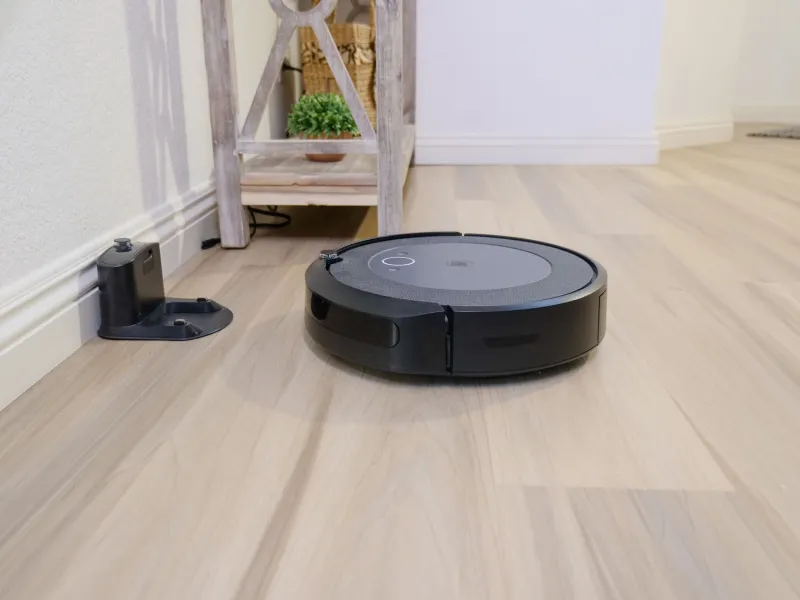
Your robot vacuum knows your house better than you do. It knows where the couch sits, where the hallway narrows, which corner the dog bed lives in, and roughly when you're not home. That's not paranoia — that's literally the job description. The little LiDAR puck on top exists to build a map, and the scheduling engine exists to learn your routine.
The question I wanted answered wasn't whether it collects that data. It obviously does. The question was: where does it go, how much of it goes, and can I stop most of it without turning my $500 vacuum back into a dumb brick?
So I spent a week man-in-the-middling my own appliance. Here's what fell out of it.
The Setup: A Vacuum on an Island
The test subject was a mid-range LiDAR-equipped model from a brand you'd recognize — one of the ones that's constantly on sale at Costco. I didn't want to name-and-shame, because honestly, most of the big players behave similarly. That's kind of the point.
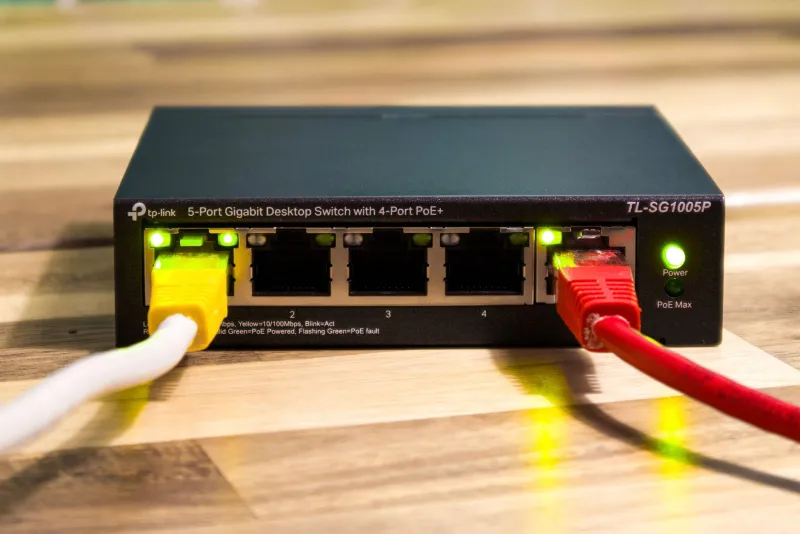
I run a router with per-device traffic logging (any of the OpenWrt-capable boxes, or a UniFi setup, will do this). The vacuum got its own SSID, its own VLAN, and a firewall rule set that logged everything before allowing it out. No TLS inspection needed for the first pass — even encrypted, the DNS queries and destination IPs tell you a shocking amount.
Then I let it clean like normal for seven days and read the logs over coffee.
What It Talked About
Three buckets emerged, in roughly this order of creepiness:
The map. During its first mapping run, the vacuum uploaded a chunky burst of data — tens of megabytes — to a server hosted by the manufacturer's cloud infrastructure. The payload was encrypted, but the size and timing lined up exactly with map finalization. Security researchers have previously reconstructed floor plans from these uploads on several brands, and nothing I saw suggested this unit was doing anything different. If your vacuum can render your floor plan in the app, that map lives somewhere that isn't your house.
The credentials. Early in setup, before any TLS session got established, the vacuum made plain-HTTP requests during account linking. I didn't capture a password in the clear, but the fact that any of the onboarding flow touches unencrypted HTTP in 2025 is the kind of thing that keeps network engineers up at night.
The chatter. Even idle on the dock, the phone-home cadence was relentless: heartbeats every few minutes, telemetry bursts after every clean, and — my personal favorite — a nightly check-in around 3 AM. Usage stats, battery curves, error events, all flowing to endpoints that geolocated to two different continents. Neither was in the US.
None of this is a breach. It's all in the terms of service nobody reads. But seeing your home's blueprint summarized in a DNS query log hits different than reading a EULA.
A Quick Privacy Scorecard
If you're shopping, here's the rubric I now use before any connected appliance crosses my threshold:
- Does it function without a cloud account? Full marks if yes. Partial credit if core cleaning works offline and only the app extras die.
- Can it live on an isolated VLAN? If local control breaks when you firewall it, that's a design choice, not a technical limitation.
- Does it support MQTT or a local API? Valetudo, ESPHome-style local control, or an official local API are gold stars.
- Where do the servers live, and is the data encrypted at rest? Vague answers count as no.
Run any vacuum through those four questions and the market splits fast. The big cloud-first brands mostly fail questions one and two. The open-source darlings — anything running Valetudo, or models officially supported by the Home Assistant integrations without cloud dependencies — pass all four.
The Local-Only Alternatives
You don't have to buy your way out of this. A few paths:
Buy for local control. Certain Roborock and Dreame models have well-documented Valetudo flash procedures — you replace the vendor cloud with a locally-hosted replacement and the map never leaves your LAN. It's a genuine hobbyist project (warranty voided, read the wiki first), but the payoff is a fully-featured vacuum with zero cloud dependencies.
Use the Home Assistant integrations. Several brands offer official local APIs now. Pair that with a network rule that blocks the vacuum from reaching the internet entirely, and you get app control and mapping through your own hub. This is the lowest-effort option and my actual recommendation for most people.
Buy a dumb vacuum and add your own brain. A no-Wi-Fi model plus a room presence setup via your existing sensors gets you 80% of the convenience with 0% of the telemetry. It's the least elegant option but the most bulletproof.
Firewalls Without Heartbreak
Already own the cloud-dependent model? Here's the middle path I settled on:
- VLAN it off. Vacuum talks to your hub and nothing else. If your smart home runs on Home Assistant, most modern integrations work fine cloud-free for basic control.
- Schedule the phone-home. If you need the vendor cloud for firmware updates or deep features, open the firewall during a weekly one-hour window instead of permanently. Telemetry drops to a trickle.
- Kill the account. Delete your cloud account after setup if the device tolerates it. Many features keep working; the data pipeline to their servers mostly doesn't.
- Watch the DNS logs for a week. You'll know within days whether the vacuum sulks or shrugs.
My test unit lost voice control and the live map outside my home network. Everything else — schedules, no-go zones, the actual vacuuming — carried on untouched. That trade was easy for me. Whether it's easy for you depends on how much you love yelling at a speaker to start the vacuum.
The Bigger Picture
The robot vacuum is just the loudest member of a growing club: appliances that are also sensors, quietly doing surveillance as a side hustle. The mapping data that makes your vacuum good at its job is the same data that's valuable to someone else. You can't have one without the other — but you can decide which network that data travels over.
Mine now travels about four feet, from the dock to my own server, and stops there. That feels like the right amount of knowing for a machine whose other job is eating hair clumps.