That $400 Smart Fridge Has a Worse Radio Than My $5 Dev Board: A Kitchen Appliance Teardown
My fridge knows it has Wi-Fi because the manual won't shut up about it. My fridge does not know it has Wi-Fi because the signal never survives the trip from my router, down the hallway, and through two inches of sheet metal and insulation foam.
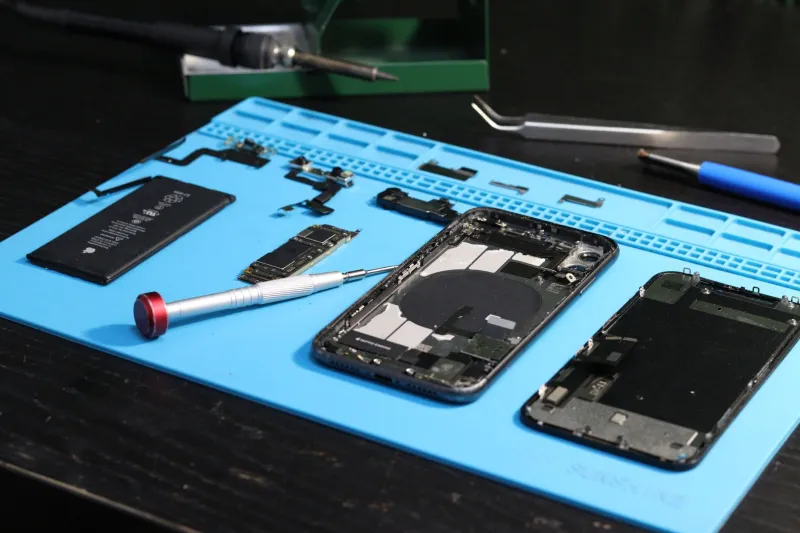
After a week of blaming my mesh network, I got fed up and grabbed a screwdriver. What I found inside three different 'smart' kitchen appliances — a big-name fridge, a wall oven, and a countertop coffee maker — explains a lot about why kitchen IoT feels like it was designed by someone who has never actually stood in a kitchen.
The Chip Inside a $400 Appliance Costs Less Than Your Lunch
Let's start with the fridge. Behind the compressor shroud, zip-tied to a wiring harness and wrapped in foil 'shielding' that was more decorative than functional, sat the Wi-Fi module: an ESP8266-class part. Yes, the same silicon family that powered every $3 IoT gadget from 2017.
To be fair to Espressif, the ESP8266 is a workhorse. But this wasn't a fresh module with a proper PCB antenna — it was a generic OEM board with a chip antenna shoved against a grounded metal bracket. That bracket, by the way, was about 8mm away from the antenna. Anyone who's designed RF knows what happens when you put metal next to a chip antenna: you build a very efficient, very accidental Faraday cage.
The oven wasn't any better. Its connectivity board used a similar module, but the real crime was placement — mounted directly behind the stainless steel front panel, with the antenna facing into the oven cavity. The engineers solved the 'keep electronics away from 400°F' problem by solving the 'can the radio reach the router' problem first.
The coffee maker was the surprise. Its module was actually a decent ESP32 variant with a PCB trace antenna, but the entire board lived inside a plastic enclosure that was then slid inside a metal housing. One layer of separation, and it still lost 15 dB in my testing.
Benchmarks: A $5 Dev Board Walks All Over Them
I wanted numbers, so I set up a controlled test. Router in the hallway, roughly 25 feet and two drywall walls from the kitchen. I measured RSSI from each appliance's own radio using its diagnostic mode where available, then walked the same spot with a $5 ESP32 dev board running a simple Wi-Fi scanner.
The results:
- ESP32 dev board (reference): -58 dBm. Rock solid, 20+ Mbps.
- Coffee maker: -63 dBm. Fine, actually. Credit to the trace antenna.
- Smart fridge: -79 dBm. Connected, but dropped packets under load.
- Wall oven: -88 dBm. Timed out during firmware update checks twice.
That oven is the kicker. A $5 board with a bare trace antenna outperformed an appliance costing 130 times more, in the same location, on the same network. The difference isn't magic — it's that the dev board's designer didn't have to route the antenna behind a steel panel to satisfy an industrial designer's dream of a seamless bezel.
Why Appliance Makers Keep Shipping This
The cynical answer is cost: a certified module in bulk runs a few dollars, and every cent matters at appliance scale. But the real answer is that radio performance isn't on the spec sheet that sells refrigerators. Nobody at the big-box store asks about antenna placement. They ask about the touchscreen and the ice maker, so that's where the budget goes.
There's also the certification problem. A module with pre-certified FCC approval is faster to ship than a custom RF layout, so appliance makers grab the cheapest pre-certified board and let the mechanical engineers figure out where it fits. Where it fits is usually somewhere terrible.
Practical Fixes for Your RF-Unfriendly Kitchen
You can't redesign a fridge, but you're not stuck. Here's what actually worked in my house:
1. Move the router, not the fridge. I know, I know. But even shifting my mesh node from the living room to a kitchen-adjacent shelf took the oven from -88 to -74 dBm. That's the difference between 'works' and 'firmware updates fail.'
2. Add a dedicated node near the kitchen. A single inexpensive mesh satellite or an old router in access point mode on the kitchen counter side of the wall fixes most fridges. Appliance radios are weak; give them a short throw.
3. Force 2.4GHz and lock the channel. Appliance modules are almost universally 2.4GHz-only, and many are single-chain with poor selectivity. If your router lets you pin the 2.4GHz band to a clean channel (1, 6, or 11 — check with a scanner app), these radios stop drowning in neighbor interference.
4. Skip the appliance's radio entirely for critical stuff. The oven's built-in connectivity was hopeless, but a $10 smart plug and a plug-in thermometer gave me reliable remote monitoring. Sometimes the smartest move is treating the 'smart' appliance as a dumb appliance with good heating elements.
5. If you're buying new, ask about the app reviews. One-star reviews mentioning 'won't connect' are a surprisingly accurate proxy for bad RF design. The hardware tells on itself.
The Takeaway
There's nothing wrong with cheap Wi-Fi modules — half the hobbyist world runs on them. The problem is treating connectivity as a checkbox instead of an engineering constraint, then hiding the antenna behind the one material RF hates most: stainless steel.
Until appliance makers start publishing RSSI specs (they won't), the burden falls on us to work around it. A $5 dev board proved the radios could be better. The appliances just didn't bother.