When the Basement Floods, Your Router Is Already Dead: A Cellular Sump Alarm That Does Not Care
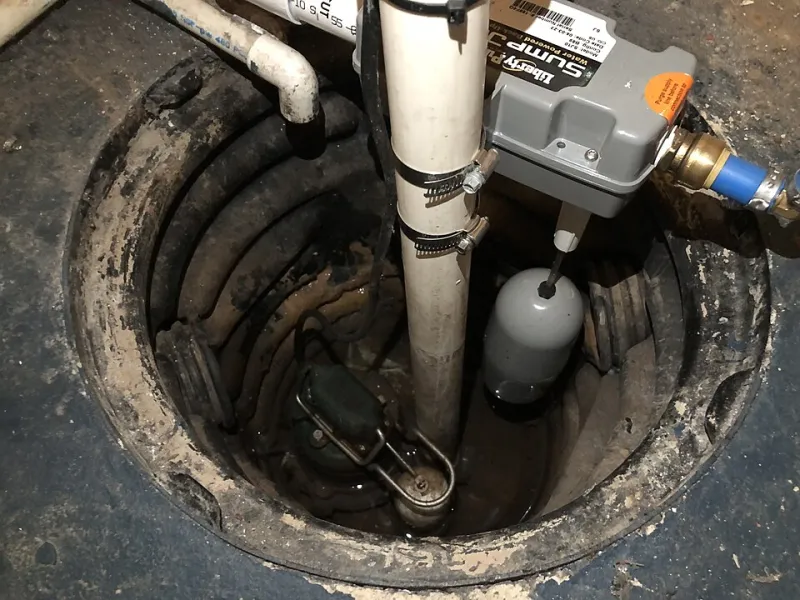
Photo: Famartin, CC BY-SA 4.0, via Wikimedia Commons
Basements flood at the worst possible time. The sump pump kicks on during a storm, the power flickers, the router reboots, and your smart home app says 'device offline' while the water rises. Wi-Fi is a single point of failure, and it shares fate with the thing you are trying to monitor. If the alarm depends on the same router, the same outlet, and the same ISP, it is not an alarm. It is a dashboard.
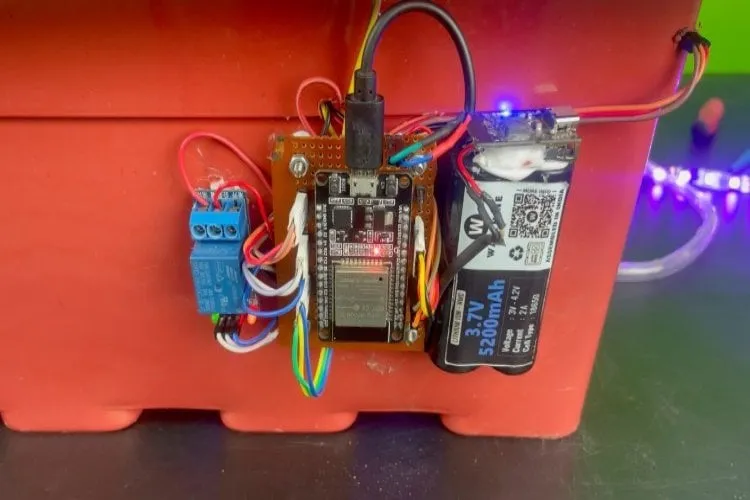
This build is deliberately stupid about the internet and smart about the path. An ESP32 watches a sump float. When the float closes, the ESP32 powers up an LTE Cat-M1 modem, sends an SMS or an HTTPS push, and goes back to sleep. It runs on a 12V SLA battery with a buck converter. The router can be dead, the power can be out, and the ISP can be having a bad day. None of that matters.
Design goals before parts
The first goal is independence. The alarm must not share a power strip, router, or cloud account with the rest of the house. The second is silence. A sump alarm that chirps every time the cat walks by gets unplugged. The third is proof. It should send a heartbeat, so you know the device is alive before the water arrives. The fourth is recovery. If the modem hangs or the network is down, the device must reset itself and try again later without draining the battery.
I use a normally open float switch mounted above the normal high-water line. When the water lifts the float, the switch closes. A second float, set a few inches higher, is a high-high alarm. The ESP32 wakes on a GPIO interrupt from the first float and checks the second float in software. That gives you two stages without two radios.
The parts list that matters
You need an ESP32 board with deep sleep and a decent regulator, a Cat-M1 or NB-IoT modem module, a prepaid IoT SIM, a 12V 7Ah sealed lead-acid battery, a fused buck converter set to 5V, a float switch, and an enclosure that can take a little humidity. For the modem, look for a module with US bands and AT command support. SIM7080G, BG95-M3, and similar Cat-M1 parts are common. Cat-M1 coverage in the US is better than NB-IoT for this kind of device, so start there. If you need LTE Cat-1 fallback, you will pay for it in power.
Do not power the modem from the ESP32's 3.3V regulator. Modems pull amps in bursts. Use a dedicated buck converter or a load switch from the 12V rail, and put a big enough capacitor near the modem to survive the transmit burst. Fuse the battery. Put the antenna away from metal and up high. Basement coverage is the real enemy; test with the antenna in the actual location before you trust the build.
Firmware: sleep, wake, send, sleep
The firmware is a state machine, not a web server. On boot, read the wake reason. If the float triggered, power the modem, wait for network registration, and send the alert. If it is a scheduled heartbeat, send a short 'OK' message. Then power down the modem and go back to sleep. Use a hardware watchdog and a software task watchdog. If the modem does not register within 90 seconds, reset it and try once more. If that fails, sleep for 10 minutes and try again. A failed send should not leave the modem on all night.
For SMS, the simplest path is AT+CMGS with a preloaded phone number. For push, post to a webhook with HTTPS. SMS is more reliable when the internet is weird, but it costs per message on some plans. HTTPS is cheaper and gives you richer alerts, but it depends on DNS and TLS. I do both: SMS for the float alarm, HTTPS for the heartbeat. If you use Twilio or a similar API, keep the credentials in a separate file and rotate them if the device is ever lost.
Battery math is not glamorous. A 12V 7Ah battery is about 84Wh. The ESP32 in deep sleep is tiny. The modem is the hog. If you send one SMS a day and one heartbeat every six hours, you can measure runtime in weeks, not hours. If you leave the modem on for a live connection, you will measure it in days. Do not leave it on.
Carrier plans for low-traffic devices
As of late 2026, the US IoT SIM market is still a spreadsheet of asterisks. Hologram is friendly for prototypes and low-volume deployments, with pay-as-you-go data and SMS options. Twilio Super SIM is good if you already use Twilio and want API-driven provisioning. Verizon ThingSpace and AT&T IoT plans can be cheaper at volume but often come with commitments and activation friction. T-Mobile has IoT plans too, but coverage and Cat-M1 support vary by region.
The trap is using a consumer phone plan in a hotspot or a spare line. It works until the carrier notices the IMEI or the plan terms. For a device that sends a few kilobytes a month, an IoT SIM is the right shape. Expect a few dollars per month per device, plus SMS costs. Check the current rate card, because prices move. Also check whether the SIM expires if it does not send data for a while. A dead SIM is a silent alarm.
Testing like the power is already out
Test the alarm by pulling the router, not by unplugging the sump pump. Fill the sump with a garden hose until the float lifts. Confirm the SMS arrives while your phone is on cellular only. Then pull the power strip and repeat. Then put the device in the basement corner where it will actually live and repeat again. If the signal is marginal, move the antenna, not the threshold.
Add a local piezo or a 12V buzzer so anyone in the basement hears the alarm even if the cellular network is down. The cellular path is for you, away from home. The local noise is for the person standing in the water.
This is not a replacement for a sump pump. It is a replacement for the false confidence of a Wi-Fi-only sensor. Critical sensors need a path that does not share fate with the smart home. A $6 microcontroller and a prepaid SIM are a cheap way to buy that independence.