Invisible Installs: Sneaking a Sensor Fleet Past the HOA Without Losing Your Deposit
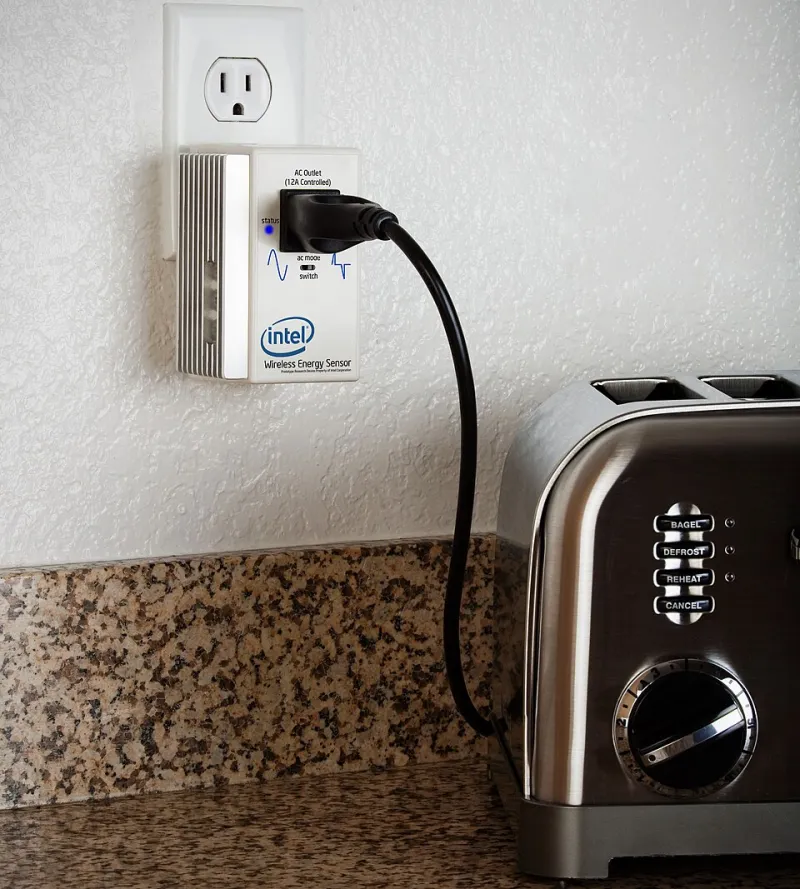
Photo: home energy saving tips, CC BY-SA 2.0, via Wikimedia Commons
My HOA sent me a violation notice for a doorbell camera. Not because it recorded anything — because it was, and I quote from the letter, "an unapproved exterior fixture." Twenty-two dollars in postage to complain about a gadget smaller than a deck of cards.
That letter changed how I build everything. If you live in a shared-wall townhome or a planned community with an active board, you already know the drill: nothing on the exterior, nothing visible from the street, nothing that "affects the facade." Fine. Challenge accepted.
Here's the good news — you don't need a single visible component to run a genuinely capable smart home. You just need to think like the sensor, not the installer.
Start With the Radio, Not the Sensor
The mistake most people make is picking a device first and then trying to hide it. Do it backwards. Radio range is your real constraint, so figure out your network before you tuck anything away.
In a wood-framed townhome, Zigbee and Z-Wave will punch through interior walls all day long. That means your coordinator can live in a closet — literally inside one, taped to a shelf bracket — and still reach every room. I run a USB coordinator on a headless mini PC in a hall closet, and it talks to sensors in the garage, both bathrooms, and the attic without breaking a sweat.
Wi-Fi gear is trickier. A hidden ESP32 behind a baseboard on the far side of the house will fight for signal, and a weak connection means dropped readings and battery drain. If you must use Wi-Fi, put your access point centrally and keep hidden devices within one wall of it.
Whatever you do, resist the temptation to add an external antenna "just to be safe." A whippy 2.4GHz antenna poking out of a window sash is exactly the kind of thing that generates violation letters.
Baseboards: The Best Real Estate Nobody Uses
The gap between the top of your baseboard and the drywall is roughly three-quarters of an inch of dead space running the perimeter of your home. That's a sensor highway.
A slim ESP32-C3 super-mini board plus a 2000mAh flat lithium pouch fits inside most standard baseboard profiles with room to spare. Pop the baseboard loose (they're usually finish-nailed — a pry bar and patience does it), mount your board to the wall with double-sided tape, run a thin 5V line from a nearby outlet if you want mains power, and reattach. From the street, from guests, from the board president on his monthly walkaround: nothing.
I run three baseboard sensors this way:
- Entry monitoring. A reed switch on the door frame, wired to the hidden board, tells me when the front door opens — no contact sensor visible on the frame.
- Temperature and humidity. A BME280 tucked behind the board reads room conditions just fine through a quarter-inch of wood.
- Water alerts. A leak-detection probe under the sink cabinet, with the board hidden behind the baseboard in the adjacent wall.
One caveat: check your local code before running low-voltage wire inside wall cavities. Class 2 wiring is generally fine for DIY, but if your HOA also handles building maintenance (some townhome associations do), a quick email asking about low-voltage runs covers you and creates a paper trail.
The Attic Is Your Friend, the Attic Is Trying to Kill Your Electronics
Attics are ideal hiding spots and terrible operating environments. Summer temperatures in a typical US attic can hit 140°F (60°C) — well past the comfort zone for lithium batteries, which is a polite way of saying they can swell or fail.
Rules for attic installs:
- No lithium pouches up there. Use a hard-case 18650 or, better, power from a nearby junction box with a proper low-voltage transformer.
- Pick the right sensor. An attic temperature/humidity node is genuinely useful — it catches roof leaks and ice-dam conditions before they become insurance claims.
- Waterproof the board, not just the sensor. A dab of conformal spray on the PCB, plus a vented 3D-printed enclosure, keeps condensation off the electronics.
If your HOA is strict enough to inspect, know that most association rules govern the exterior and "common elements." Your attic — especially in a townhome where you own from the drywall in — is usually your business. Read your CC&Rs anyway. Some associations claim attic space as common area, and you want to know that before, not after, you've stapled cable runs up there.
Windows, LEDs, and Other Telltale Signs
Even invisible hardware betrays itself if you let it. A motion sensor in a window with a blinking status LED glows like a Christmas ornament at night. Fix it in three ways:
- Disable the LEDs in firmware. With ESPHome or Tasmota, it's a one-line config change. Do this to every device you own, honestly.
- Use opaque enclosures. Clear 3D-printed cases look great on your desk and terrible behind your curtains.
- Mind the IR. Some PIR sensors have visible-light filters that glow faintly dark red in a dark room. If a sensor lives near a window, angle it away from the glass.
Cameras deserve their own note: keep them inside, pointed at your own property, and check your state's recording laws. In most of the US, recording video in your own home is fine; audio recording has stricter consent rules in some states (California, Florida, and Washington among them). An indoor camera is invisible hardware. An indoor camera aimed at a shared hallway is a lawsuit.
Shared-Wall Etiquette: The Legal-Adjacent Stuff
Nobody's lawyer here, but a few principles keep you out of trouble:
- Don't put sensors in common elements. Shared hallways, exterior walls, party walls with plumbing — if the association maintains it, don't instrument it.
- Vibration and structure-borne sensing stops at your wall. A sensor listening through a shared wall to your neighbor's living room is a privacy problem regardless of intent. Place acoustic and vibration sensors on interior walls only.
- Keep a one-page inventory. If you ever sell, having a list of every hidden device, its power source, and its location is a gift to the next owner — and it proves to an inspector that nothing is tapped into anything it shouldn't be.
The Payoff
Six months into the fully hidden build, my HOA has no idea my house runs forty-odd sensors. Neither does a visitor. But I know when the basement humidity spikes, when a door opens, and when the attic hits conditions that precede a leak — all from a system that looks, from every angle that matters, like an ordinary townhome.
That's the real flex under an HOA: not a smarter-looking house. A smarter house that doesn't look like anything at all.