A Week of Wardriving My Own Subdivision: What My Neighbors' Smart Devices Told Me From the Curb
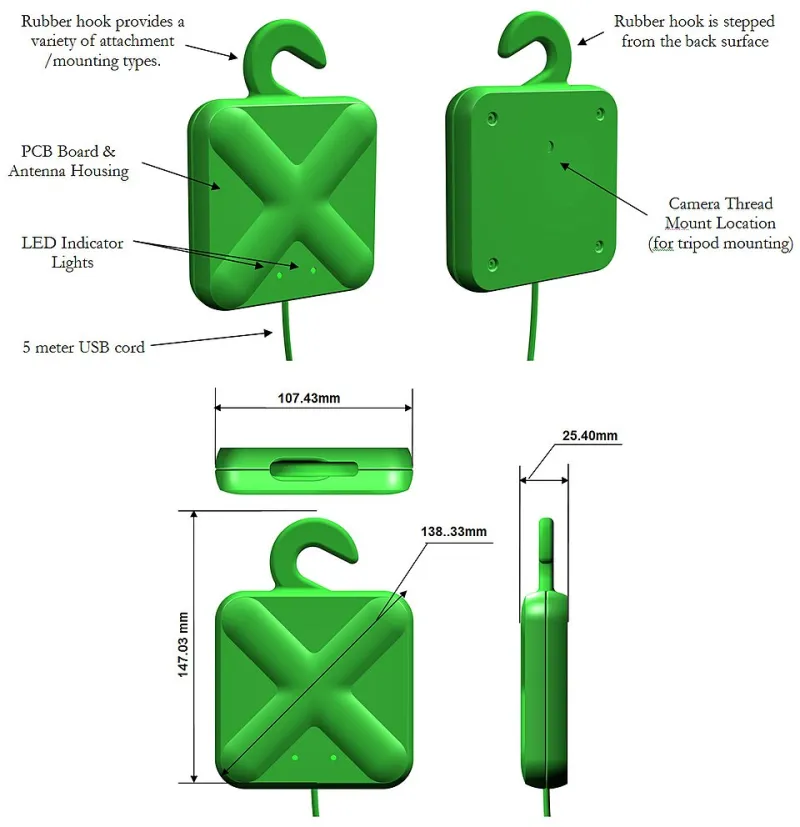
Photo: OLPC, CC BY 3.0, via Wikimedia Commons
Every evening for a week, I did something that would look deeply suspicious to anyone watching: I drove my subdivision at 5 mph with a laptop in the passenger seat, a GPS receiver Velcroed to the dash, and a couple of USB radios drinking power from the cigarette lighter. My neighbors probably assumed I was checking my mail very, very slowly.
What I was actually doing was wardriving — the old-school hacker pastime of logging wireless signals from a moving vehicle — except my target wasn't some downtown office district. It was my own neighborhood. The same houses with the Ring doorbells, the Rachio sprinkler boxes, the shiny new EV chargers glowing in driveways.
The results surprised me, and they'll probably change how you think about the gadgets on your own porch.
The Rig: About $60 in Parts and a Tank of Gas
You don't need much to pull this off. My setup:
- A laptop running Kali Linux with Kismet for Wi-Fi scanning
- A cheap GPS USB receiver so every access point gets coordinates attached
- A Bluetooth-capable dongle to catch BLE advertisements
- Patience, because the data only gets interesting when you're done
Kismet does the heavy lifting. It logs every access point it hears, notes whether the network is open or encrypted, flags devices broadcasting probe requests, and timestamps everything against GPS fixes. By the end of the week I had logged 312 unique access points and 47 BLE devices across roughly 90 homes.
What Was Broadcasting to the Street
Most of what I found was boring, and that's genuinely good news. The overwhelming majority of networks were running WPA2 or WPA3. Nobody's SSID was "hackerbait" anymore — well, one was, but it was clearly a joke from the guy who also has a neon sign in his garage.
The interesting stuff was in the exceptions:
The Open Network on a Smart Sprinkler Controller
One house had a Wi-Fi sprinkler controller running an open network. These devices often create their own temporary hotspot for initial setup — and this one had apparently never finished (or been turned off). Anyone within range could connect to it. In the worst case, a miscreant could water your lawn at 3 a.m. or mess with your watering schedule. Not catastrophic, but it's a foot in the door and a reminder that setup modes matter.
Doorbells That Leak More Than You Think
Smart doorbells were the loudest devices on the block. Several were periodically broadcasting probe requests with identifiable MAC prefixes, which doesn't expose video or audio, but does tell anyone watching exactly what hardware you own and roughly when devices wake up. That's reconnaissance data — the kind of thing that tells a bad actor which houses have gear worth targeting.
EV Chargers Phoning Home From the Driveway
The newest wrinkle: EV chargers. Two houses had wall-mounted chargers with active Wi-Fi, and one was advertising a Bluetooth pairing mode in the middle of the afternoon. Modern chargers are essentially small computers with a 48-amp relay attached. If you can get into one, you can potentially schedule charging, mess with load limits, or — on poorly designed units — flake the breaker settings. Most manufacturers have patched the ugly stuff, but pairing modes left perpetually on are an invitation.
The Bluetooth Doorbell Chime Nobody Configured
A handful of BLE devices were advertising with default names straight from the factory. One was a video doorbell chime still in pairing mode, months after install. Its owner had no idea.
The Honest Risk Assessment
Here's the part where I pump the brakes on panic. Nothing I logged gave me access to anyone's camera feeds, locks, or computers. Modern encryption on well-configured devices held up across the board.
The real risks are the boring ones:
- Setup and pairing modes left enabled forever — the single most common issue I found
- Open or WEP networks on legacy IoT gear — one ancient device can drag down an otherwise solid setup
- Hardware fingerprints via probe requests — not a break-in, but a map of who has what
- Default credentials on devices with local web interfaces — I didn't test this aggressively against neighbors, but my own lab devices failed that check embarrassingly often
Locking Down Your Own Porch
Consider this the friendly part of the guide — the stuff I'd tell any neighbor who asked what I was doing:
- Finish your setup modes. Once a device is paired and online, turn off its Bluetooth or setup hotspot. Most devices let you do this in the app; some require a toggle in settings.
- Put IoT gear on its own network or VLAN. If a camera gets popped, it shouldn't be able to see your laptop. Even a cheap router's "guest network" feature is a big upgrade over flat.
- Check for firmware updates quarterly. The EV charger and doorbell categories especially — this space moves fast and the patches are real.
- Rename your SSID if it identifies you. "The Smiths" on a network name plus a visible doorbell brand is a nice little profile for anyone casing the block.
- Audit what you actually installed. I found two devices in my own driveway — a tire pressure monitor and an old smart plug — that I'd completely forgotten were still transmitting.
Would I Do It Again?
Absolutely, and you should too — on your own property line, anyway. Wardriving your own home is one of the cheapest security audits available. It costs a tank of gas, an afternoon, and the humility of discovering your own smart plug has been shouting into the void for two years.
The neighborhood, as it turns out, is mostly fine. Mostly. But "mostly" is exactly the kind of word that keeps a maker up at night, and now I've got the Kismet logs to prove it.